






A solar light usually stops working for a simple reason: it is not charging, the battery can no longer hold enough energy, the control setting is wrong, or a connection has been damaged. The fastest way to find the cause is to check the light in a fixed order instead of replacing parts at random.
This guide explains how to fix solar lights that are dim, switch off early, or do not turn on at night. It also covers a separate check for commercial solar street lights, where the fault may sit in the controller, dimming schedule, battery management system, or shared site conditions.
Key takeaways
- Start with the switch, darkness sensor, shade, and solar panel before opening the housing.
- A battery reading by itself is not enough. Compare panel input, battery condition, load output, and the controller status.
- For a street-lighting project, record the failure pattern across the site before approving a replacement batch.
In this guide
- The five-minute check
- Symptom and cause table
- Step-by-step diagnosis
- Commercial solar street light faults
- Repair or replace?
- Maintenance that prevents repeat failures
- الأسئلة المتداولة
What should you check first when a solar light stops working?
Check the light after dark, confirm that its switch is on, remove any temporary cover from the panel, and look for shade, dirt, loose plugs, corrosion, or water marks. The U.S. Department of Energy describes photovoltaic modules as devices that convert sunlight into electricity, so a dirty or shaded panel can interrupt the whole chain before the battery or LED becomes the real problem.
- Test it in darkness. Cover the panel completely for 30 to 60 seconds, or test after sunset. A bright work light or nearby security lamp can keep the sensor in daytime mode.
- Check the physical switch and mode. Look for an OFF position, a transport switch, a remote-control setting, or a controller setting that has disabled the load.
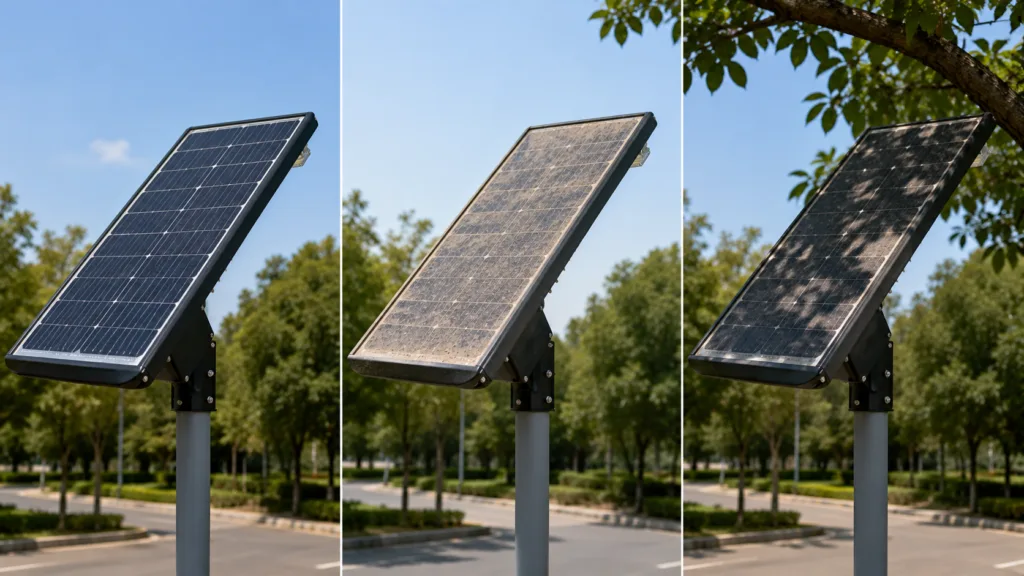
- Inspect the panel. Remove dust, bird deposits, leaves, and salt residue with clean water and a soft cloth. Do not use an abrasive pad on the glass.
- Look at the installation environment. A new tree branch, a changed building shadow, or a panel turned away from the sun can reduce charging without leaving a visible electrical fault.
- Check the obvious connections. A loose plug or green-white corrosion at a connector can make an otherwise healthy light appear dead.
If the light comes on after these checks but goes out early, the battery and the available daily charge are the next suspects. If it never comes on, continue with the electrical checks below.
Solar lights not working: a quick diagnosis table
The symptom often narrows the fault before a multimeter is needed. Use the table as a first pass, then confirm the suspected component with the product manual and the nameplate values. There is no universal battery voltage or controller pinout for every solar light.
| What you see | Likely causes | First check | Next action |
|---|---|---|---|
| No light at all | OFF switch, sensor mode, loose connector, failed battery, controller or LED driver | Test in darkness and inspect the switch | Measure panel input and battery condition in sequence |
| Dim from the first night | Panel too small for the load, shade, dirty panel, wrong configuration, weak battery | Compare the installation with the approved specification | Review energy balance before changing the LED |
| Works briefly, then goes dark | Battery has low capacity, was not fully charged, or the load schedule is too long | Check charging history and battery resting voltage | Run a battery capacity or discharge test |
| Turns on during the day | Covered or failed light sensor, reflected light, controller schedule, or wiring error | Cover the panel and inspect nearby light sources | Reset or reconfigure the controller if the sensor passes |
| Several units fail together | Weather, shared configuration, battery batch, controller setting, cable route, or installation error | Compare failure time, error codes, and site conditions | Investigate the common factor before replacing individual lamps |
| Flickering or intermittent light | Loose terminal, water ingress, driver fault, thermal protection, or unstable battery connection | Inspect connectors and the enclosure for moisture | Isolate the circuit and test under load |
How do you fix solar lights step by step?
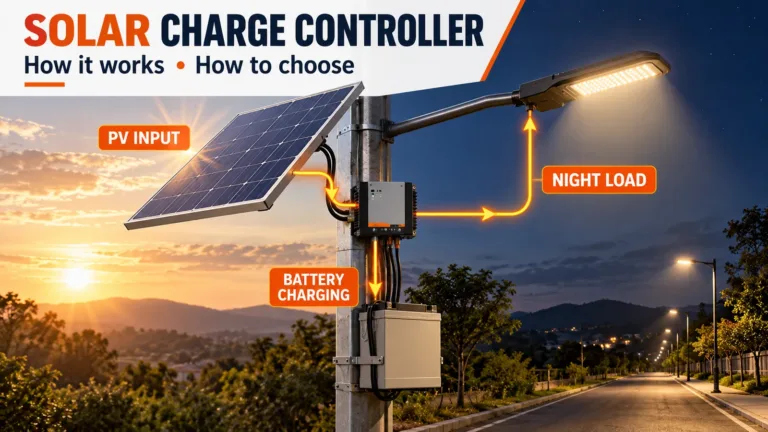
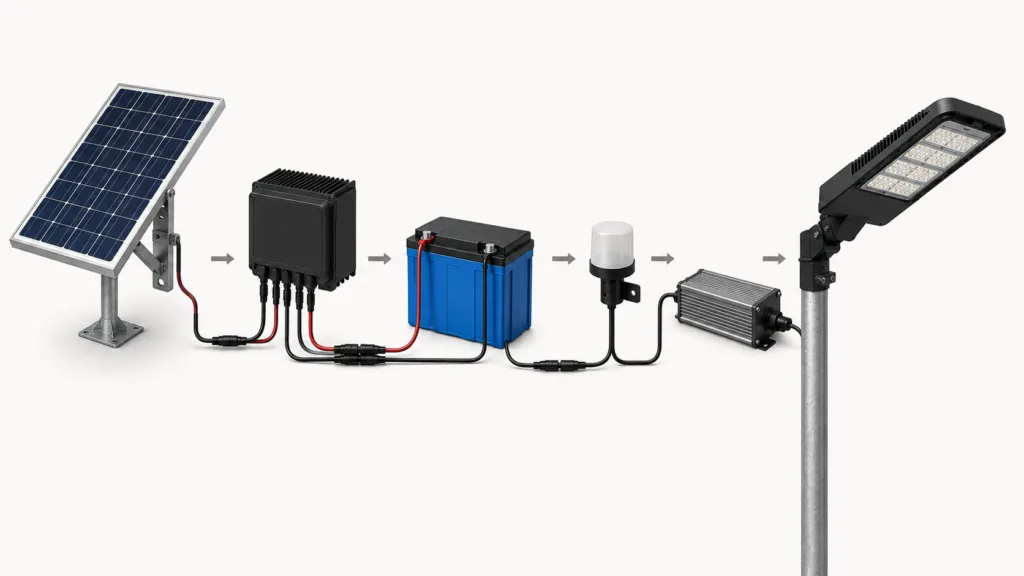
Use a top-to-bottom electrical path: sunlight, panel, charge controller, battery, load output, LED driver, and LED module. The U.S. Department of Energy’s solar-powered street and area lighting guidance also treats battery storage as a buffer for periods when cloud, dirt, snow, or other contaminants reduce charging. In practice, that means a light can have a working LED and still fail because the energy arriving at the battery is not enough.
1. Confirm the light is allowed to turn on
Put the light in its normal operating position and cover the solar panel. If the lamp turns on, the LED circuit is probably receiving a load command. If it stays off, check the physical switch, remote-control setting, photocell, and timer before assuming the battery has failed.
For a street light, check the programmed dimming profile as well. A controller may be working exactly as configured, for example, running at a reduced output after midnight. Save the current settings before changing them so the original behaviour can be restored.
2. Inspect and clean the solar panel
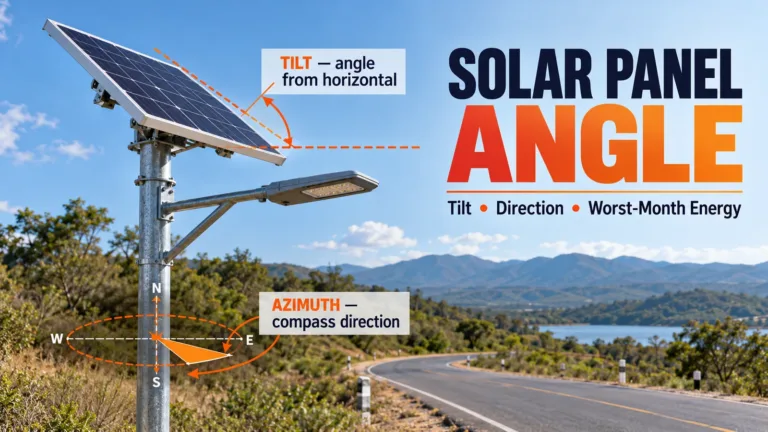
Clean the glass, then inspect the panel for cracks, delamination, yellowing, loose frames, and damaged cable glands. Check the panel’s direction and any new shade at the hours when the site receives sunlight. A panel that looks bright at noon can still have a poor daily harvest if a wall or tree blocks it during the useful charging window.
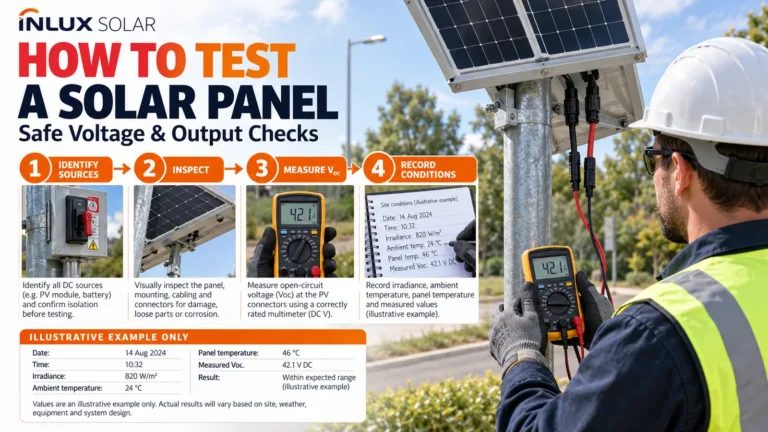
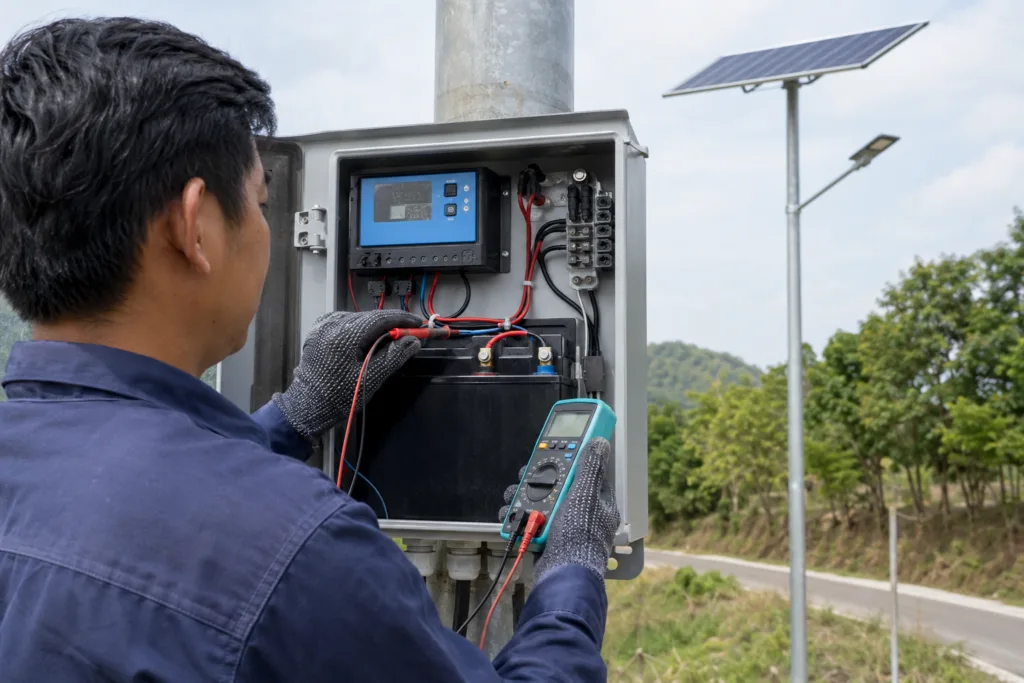
Do not judge a panel by appearance alone. With a multimeter set correctly, compare the panel’s measured voltage and current with the manufacturer’s datasheet under suitable sunlight. A reading that looks reasonable in isolation may still be wrong for that model.
3. Check the battery without guessing
Open the enclosure only if the product instructions allow it and isolate the power first. Look for swelling, leakage, heat damage, corrosion, loose terminals, and a battery label that does not match the controller. A battery can show a normal voltage with no load and still have very little usable capacity.
Nominal cell voltage helps identify a mismatch, but it is not a pass or fail limit: nickel-cadmium and nickel-metal hydride cells are commonly rated at 1.2 V per cell, lithium-ion cells at about 3.6 to 3.7 V, and lithium iron phosphate cells at about 3.2 V. Always use the installed battery label, pack voltage, BMS instructions, and controller manual as the final reference.
If the light runs for only one or two hours after a full sunny day, measure the battery under the expected load or arrange a proper capacity test. Do not replace a lithium battery with a different chemistry just because the connector fits. The charging profile and battery-management system must match.
4. Test the controller, wiring, and load output
Inspect every connector from the panel to the controller and from the controller to the battery and lamp. Pull gently on the cable near each crimp, look for pinched insulation, and check for water tracks inside the enclosure. In coastal, dusty, or high-humidity sites, corrosion can create a high-resistance connection that passes a no-load test but drops voltage when the lamp starts.
Record four things before changing the controller: panel input, battery voltage, load output, and any indicator code or app message. Compare each value with the product datasheet. Never bypass a fuse, BMS, or charge-protection circuit to make a light turn on temporarily.
5. Check the LED driver and LED module
If the battery and controller deliver the expected output but the lamp remains dark, the driver, LED board, or cable between them may be faulty. Look for a burnt smell, discoloured terminals, cracked solder joints, or visible thermal damage. Replace the failed part with a matched component, including the correct voltage, current, connector, and thermal rating.
Do not use a brighter LED as a workaround. A higher-wattage load can make the original panel and battery undersized, which creates the same failure again a few nights later.
6. Reset the light only after recording the settings
There is no single reset method for every solar light. Common procedures include switching the unit off, waiting for the controller to discharge, turning it on again, and allowing one full daylight cycle before judging the result. Some commercial controllers require a button sequence or software command instead.
Before a reset, photograph the wiring and write down the dimming schedule, battery type, load setting, and any fault code. A reset can clear useful diagnostic information and may return the light to a factory profile that does not suit the site.
How is a commercial solar street light diagnosed differently?
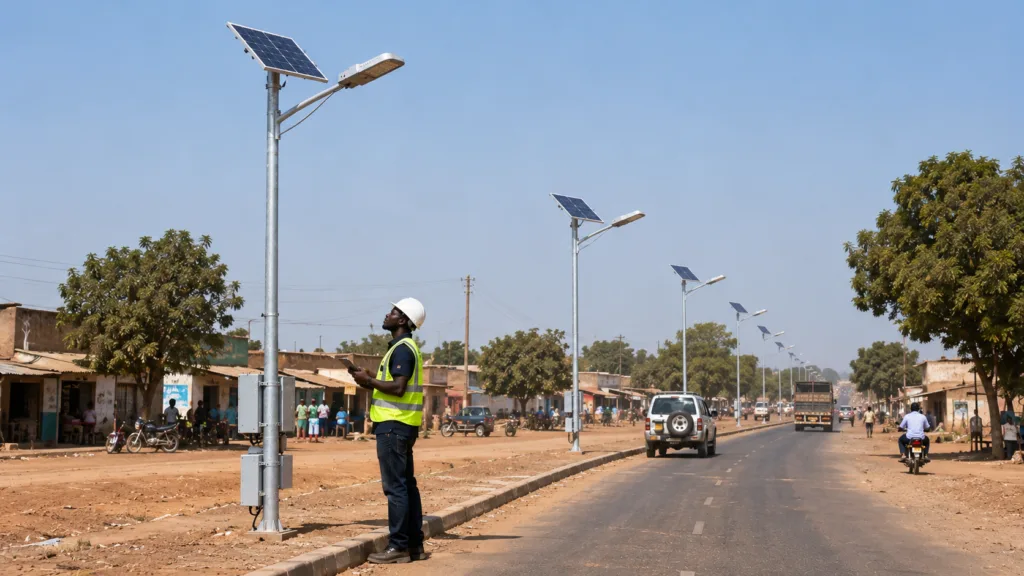
Commercial solar street light troubleshooting starts with the pattern across the project, not just one lamp. If several units fail after the same weather event or at the same time of night, compare the controller configuration, battery batch, panel orientation, cable routing, and maintenance history before opening each fixture. This is where a simple household checklist stops being enough.
| Project question | ما يجب تسجيله | ما أهمية ذلك |
|---|---|---|
| Is the problem isolated? | Pole number, failure date, weather, and whether nearby units are affected | Separates a local component fault from a shared site condition |
| Is the system charging? | Panel model, orientation, shade, controller PV input, and charging status | Shows whether the energy budget is being replenished |
| Is stored energy available? | Battery chemistry, pack voltage, BMS alarm, resting voltage, and discharge behaviour | Distinguishes low capacity from a charge-control problem |
| Is the load configured correctly? | LED wattage, dimming schedule, motion profile, operating hours, and load output | Prevents a configuration issue from being mistaken for a hardware failure |
| Can the fault be serviced? | Connector condition, enclosure seals, access method, spare-part code, and photos | Creates a repeatable maintenance record for the next visit |
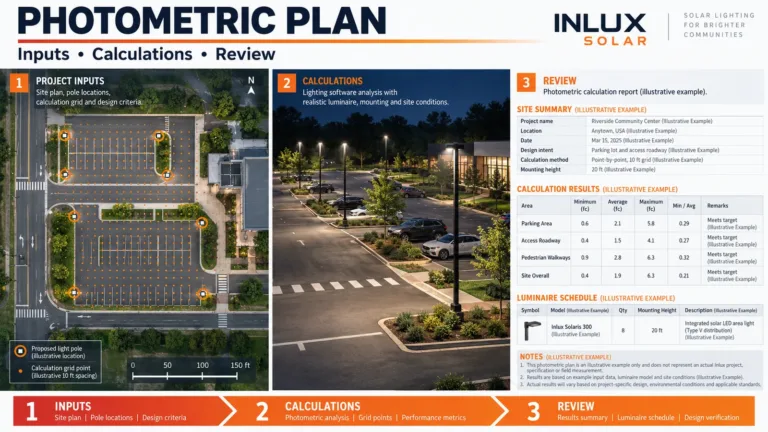
For a new project, the system should be checked as a matched design. LED power, panel size, battery capacity, controller settings, pole location, and the local solar resource all affect night-time autonomy. Inlux’s solar street light manufacturing and engineering page describes the type of component matching and project documentation a buyer should request from a supplier.
Configuration also affects serviceability. An all-in-one, all-in-two, and split-type comparison can help a project team decide where the panel, battery, controller, and lamp should sit. For municipal work, the all-in-one solar street light guide for municipal projects is useful when the priority is fast installation and consistent maintenance access.
From what we see in project support, the most expensive troubleshooting mistake is changing the lamp before checking the energy balance. A new LED head cannot solve a shaded panel, an undersized battery, or a controller that is running a longer schedule than the design assumed.
Should you repair or replace a solar light?
Repair the unit when the fault is limited to cleaning, a connector, a sensor setting, a replaceable battery, or a matched controller. Replace or escalate the unit when the panel is cracked, the battery is swollen or heat-damaged, water has reached the electronics, or the same failure returns after a correct repair. Safety comes first, especially around lithium battery packs.
Before requesting replacement parts for a commercial project, send the supplier the model, quantity, installation country, pole height, LED wattage, battery chemistry and pack voltage, panel specification, controller model, operating schedule, failure pattern, and clear photos. Those details turn a generic request for a “stronger solar light” into a solvable engineering problem.
Inlux currently presents some product configurations with LiFePO4 batteries rated at approximately 4,000 cycles and a stated service life of 10+ years, as well as LED modules rated above 50,000 operating hours. These are configuration-specific claims, not a universal promise for every solar light. The right comparison is the approved datasheet, warranty terms, site conditions, and measured performance of the installed system.
How can you prevent solar lights from failing again?
Preventive maintenance is mostly a record-keeping job. Keep a simple log for each pole or fixture, including cleaning date, panel condition, battery reading, controller code, night-time runtime, and replaced parts. The log makes a gradual loss of autonomy visible before a whole road or site becomes dark.
- Inspect and clean the panel on a schedule suited to dust, salt, pollen, and bird activity.
- Trim vegetation when it begins to shade the panel during the charging window.
- Check enclosure seals, cable glands, connectors, and pole access points after heavy rain or storms.
- Review the dimming and motion-sensor profile after a controller reset or firmware change.
- Keep the exact battery, controller, LED driver, and connector part numbers with the project handover documents.
- Use the same measurement sequence on every service visit so results can be compared over time.
For lithium batteries used in stationary industrial applications, IEC 62619:2022 specifies safety requirements and tests. The standard does not replace a project datasheet, but it is a useful reference when a buyer is reviewing battery documentation and supplier quality evidence.
الأسئلة المتداولة
Why are my solar lights not working after rain?
Rain itself is not usually the fault. Check whether water has entered the enclosure, whether a cable gland is loose, whether the panel is dirty, and whether several units failed at the same time. If the problem affects a group, compare the controller alarms and installation details before replacing individual batteries or lamps.
How do I reset outdoor solar lights?
Switch the unit off, wait according to the product manual, then switch it on and test the sensor in darkness. Some commercial controllers use a button sequence or software command instead. Record the settings first, because a reset can erase the dimming schedule and return the light to a factory profile.
Can I replace the battery in a solar light?
Often, yes, but the replacement must match the original chemistry, nominal voltage, connector, physical size, charging profile, and battery-management system. Do not install a higher-capacity or different-chemistry pack just because it fits. For a sealed or damaged lithium pack, use the supplier or a qualified technician.
What should I send a manufacturer when a solar street light fails?
Send the model, quantity, location, pole height, LED wattage, battery and panel details, controller model, operating schedule, failure date, weather conditions, error codes, measured values, and photos of the panel, enclosure, connectors, and lamp. This gives the engineering team enough context to separate design, installation, configuration, and component faults.
الخاتمة
To fix solar lights that are not working, follow the energy path in order: confirm the night-time command, inspect the panel, check the battery, test the controller and wiring, then verify the LED driver and module. For commercial solar street lights, add the project pattern, configuration history, and maintenance record to the diagnosis.
If the system needs more than a replacement connector or a cleaning, share the site and configuration details with a qualified supplier. إنلكس سولار can use that information to assess the solar street light configuration, spare parts, and a project-level replacement or retrofit path.
Sources and further reading
- U.S. Department of Energy: Solar Energy, background on photovoltaic energy conversion.
- U.S. Department of Energy Better Buildings: Solar-Powered Street and Area Lighting Considerations, battery and site-condition guidance.
- IEC 62619:2022, safety requirements and tests for secondary lithium cells and batteries in industrial applications.