






Updated August 27, 2026. The safest answer to how to fix flickering lights starts with the cheapest cause: the bulb. Turn the light off, let it cool, reseat or replace it, then test the light without a dimmer. If several lights flicker together, or you notice heat, buzzing, discoloration, sparks, or a burning smell, stop and call a qualified electrician.
That short answer solves the easy cases without hiding the serious ones. This guide shows you how to identify the flicker pattern, test one variable at a time, and decide whether the fault sits in the lamp, dimmer, LED driver, wiring, power supply, or a solar lighting system.
Key takeaways
- One flickering lamp usually points to the bulb, socket, fixture, driver, or local control.
- Several lights flickering together can indicate a circuit, service, controller, or shared power problem.
- A phone camera may reveal flicker, but it cannot prove that a light meets a flicker standard.
- Do not open energized fittings, panels, drivers, or battery enclosures unless you are qualified.
In this guide
- When flickering is a safety warning
- Seven safe troubleshooting steps
- Flicker pattern diagnosis table
- Solar and outdoor lighting faults
- How to prevent repeat flicker
- الأسئلة المتداولة
When are flickering lights a safety warning?
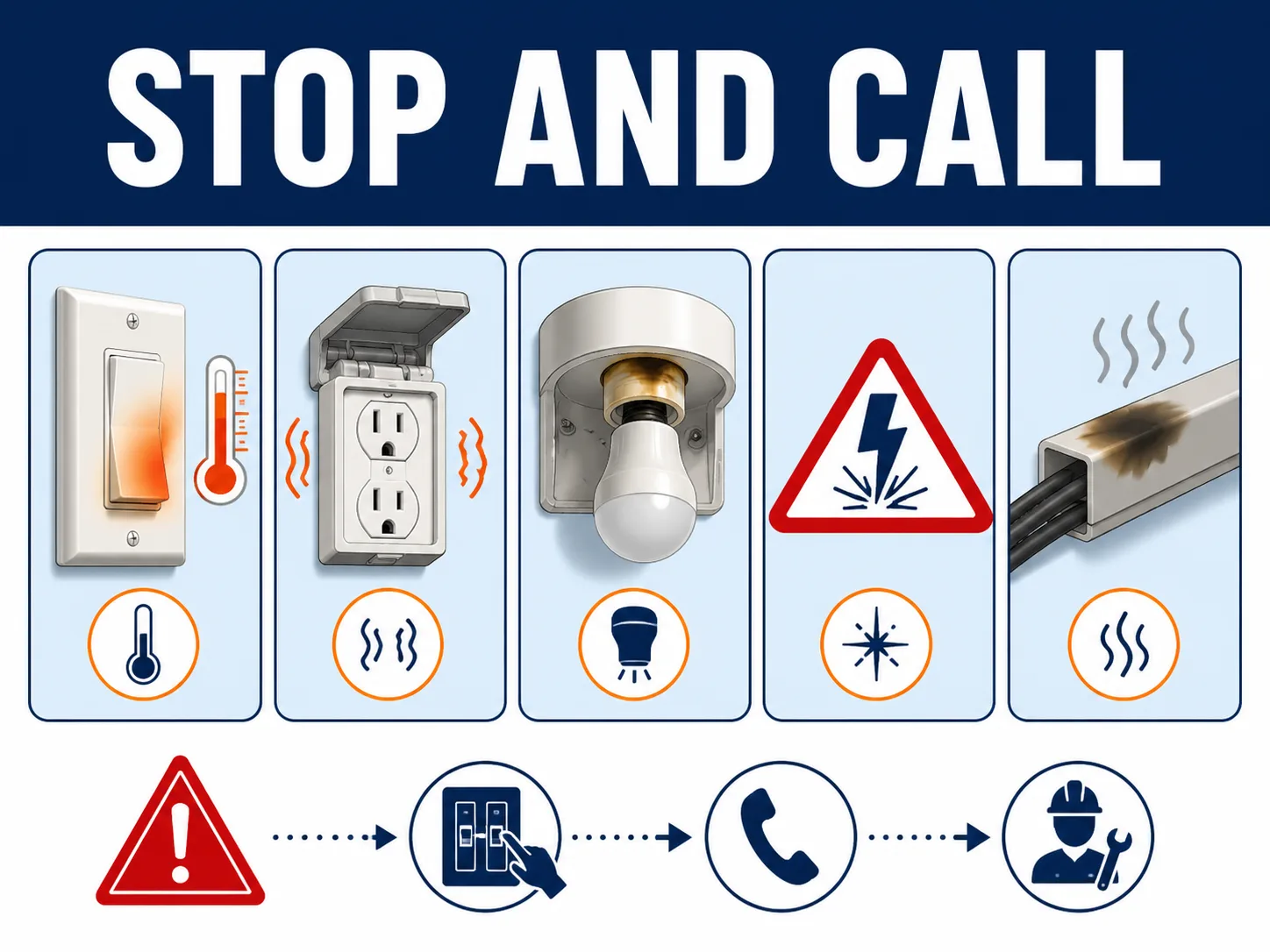
Flickering becomes a safety warning when it affects several lights, changes as large appliances start, or appears with heat, buzzing, discoloration, sparks, or a burning smell. The Electrical Safety Foundation International’s Electrical Safety Dos lists flickering or dimming lights among the warning signs that should be inspected by a qualified electrician.
In 2022, the National Fire Protection Association’s Home Fires Caused by Electrical Distribution and Lighting Equipment report estimated 32,620 such US home fires per year during 2015 to 2019. The report does not say flicker caused those fires. It does show why a possible wiring fault should not be treated as a lamp nuisance.
Switch the circuit off and get professional help if you see scorch marks, smell hot insulation, hear crackling, feel a warm switch plate, or see whole-room or whole-building flicker. In its 2011 Repairing Aluminum Wiring guidance, the US Consumer Product Safety Commission says flickering lights can be a trouble sign in a property with older aluminum branch wiring and advises against DIY repair.
Safety boundary: A homeowner can switch off power, let a lamp cool, reseat a removable bulb, or replace it with a compatible bulb. Work inside a switch, fixture, panel, driver, pole base, or battery enclosure belongs to a qualified person following local rules and the manufacturer’s instructions.
How to fix flickering lights in 7 safe steps
The fastest method uses seven checks in order: define the affected area, make the circuit safe, reseat the lamp, test a matched replacement, remove control conflicts, observe load patterns, then escalate component or wiring faults. This order prevents random part swapping and keeps live electrical work out of a basic DIY check.
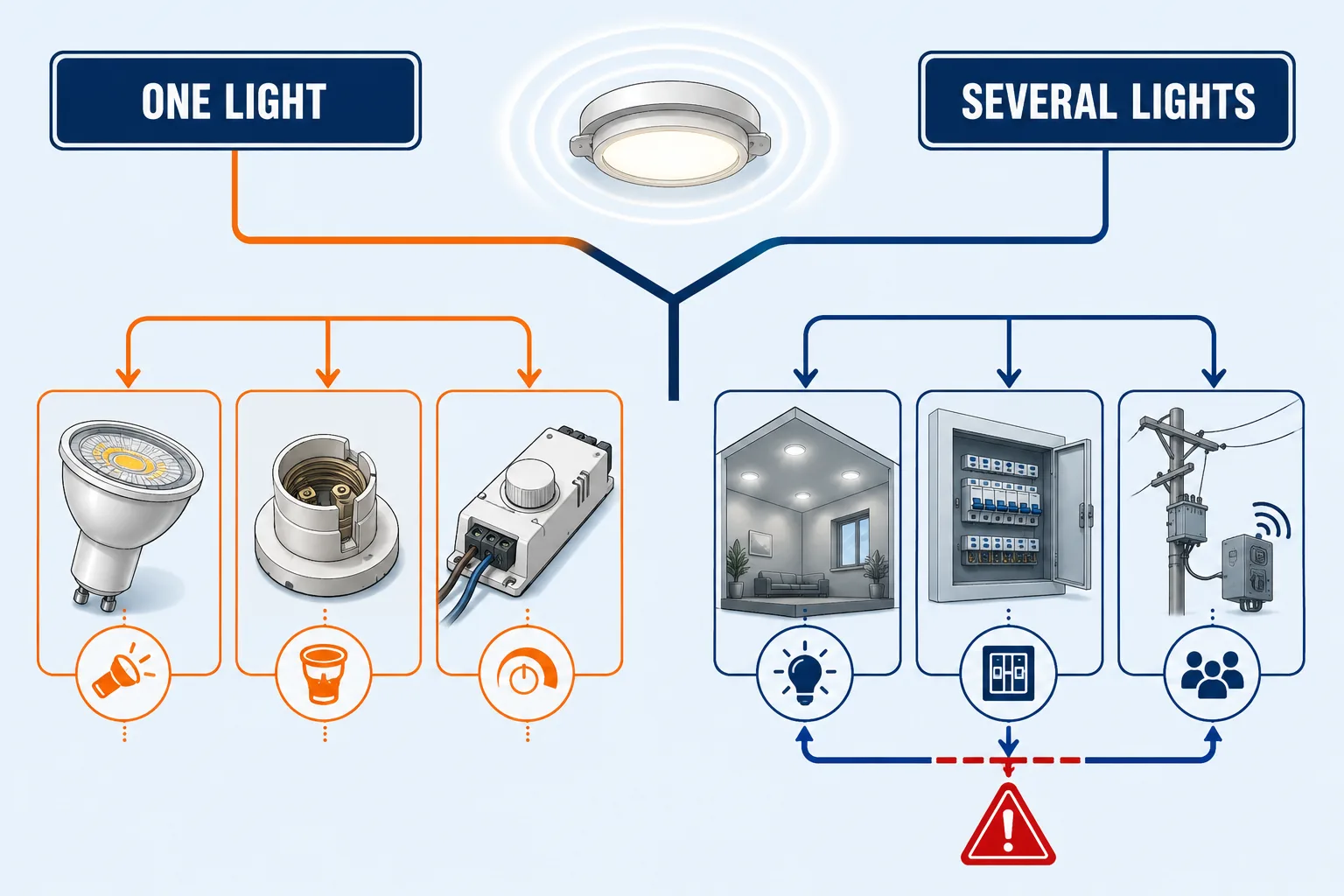
Step 1: Identify how many lights flicker
By the end of this step, you should know whether the fault is local or shared. Watch the light for several minutes and record what else is running. Does one bulb flicker, one fixture, every light on one circuit, the whole property, or several outdoor poles at once?
The pattern matters more than the speed alone. One lamp points first to its bulb, holder, integrated driver, or local dimmer. A group that changes together points higher in the power path, such as a branch circuit, service connection, shared controller, or site power source.
| What you see | Most likely area | Safe first check | Who should continue |
|---|---|---|---|
| One removable bulb flickers | Loose, aging, damaged, or incompatible bulb | Power off, cool, reseat, then test a matched replacement | Homeowner for bulb-only work |
| One integrated LED fixture flickers | Driver, connector, thermal problem, or fixture electronics | Check warranty, model, temperature, and visible damage | Qualified technician or manufacturer |
| Only flickers when dimmed | Dimmer and LED compatibility, trim setting, or low load | Test at full brightness and confirm both products are dimmable | Homeowner for settings; electrician for switch replacement |
| Several lights flicker together | Shared circuit, loose connection, service, voltage, or controller | Record the affected area and any appliance or weather trigger | Electrician, utility, or site technician |
| Outdoor light flickers after rain | Water ingress, corroded connector, driver, seal, or cable gland | Isolate the unit and inspect externally for moisture or damage | Qualified outdoor-lighting technician |
| Solar light flickers late at night | Low battery state, controller limit, driver, connector, or schedule | Check fault codes, charge history, and whether nearby units match | Manufacturer or trained solar technician |
Verification: Write down the scope and trigger before touching anything. A ten-second video that shows several lights changing together can help an electrician or supplier reproduce an intermittent fault.
Step 2: Turn off power and check the bulb
By the end of this step, you will have ruled out a loose lamp without opening any wiring. Turn the light off at the switch. If you will touch the lamp or fixture, isolate the circuit as local rules require. Let the lamp cool fully before handling it.
- Remove the bulb and inspect the base for cracks, corrosion, dark marks, or heat damage.
- Check that the lamp holder is dry, clean, and undamaged without reaching inside it.
- Reinstall the bulb by hand. Do not overtighten it.
- Restore power and observe the light from a safe position.
Stop immediately if the holder is loose, burned, wet, cracked, or hot. Do not bend contacts or clean an energized socket. A damaged holder is not a bulb problem, even if reseating the lamp changes the flicker for a moment.
Step 3: Test one known-compatible replacement
By the end of this step, you will know whether the original lamp is the fault. Use one known-good replacement that matches the fixture’s base, supply voltage, enclosed-fixture rating, wattage limit, and dimming requirement. A random spare can add a second compatibility problem and confuse the result.
If the replacement stays stable, remove the original lamp from service. If both lamps flicker in the same fixture, stop buying bulbs. The next suspects are the control, holder, fixture driver, connection, or upstream supply.
For an integrated LED luminaire, the “bulb” and driver may not be user-replaceable. Record the product model, input rating, installation date, ambient conditions, and warranty status. That information helps the manufacturer identify a matched driver or complete fixture replacement.
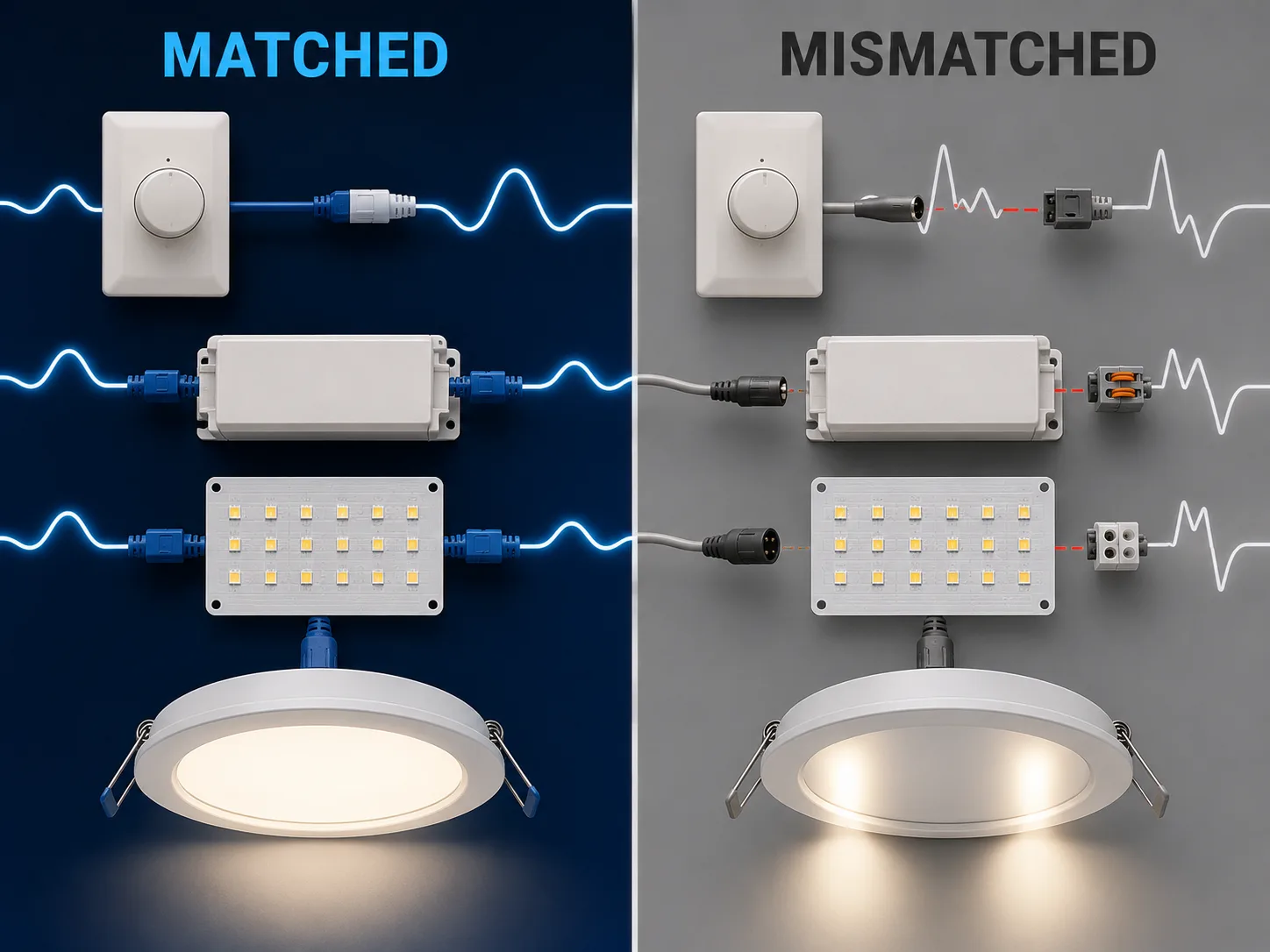
Step 4: Check the dimmer, smart switch, or sensor
LED dimming depends on the lamp, driver, dimmer, load, and low-end setting working as one system. The US Department of Energy’s Flicker Basics explains that a poorly matched driver and dimmer can vary an LED from full output to fully off within each cycle. The LED chip alone is not the diagnosis.
- Confirm the lamp or fixture is labeled dimmable.
- Set the dimmer to full output. Note whether the flicker stops.
- Check the dimmer maker’s compatibility list for the exact lamp or driver model.
- If the control has an approved low-end trim setting, adjust it only as its manual directs.
- For a smart switch, confirm whether it requires a neutral or a minimum load.
Lutron’s current Maestro PRO Troubleshooting Guide also treats flashing, buzzing, and low-level instability as possible compatibility symptoms. Do not assume every “LED dimmer” works with every LED product. Have an electrician replace or rewire a control.
Verification: A stable lamp at full brightness but unstable lamp at lower settings strongly suggests a control-range or compatibility issue. It does not prove that hidden wiring is sound.
Step 5: Look for a load or supply pattern
By the end of this step, you should know whether flicker follows another electrical load. Observe the lights while normal equipment starts, such as an air conditioner, pump, compressor, lift, microwave, or workshop machine. Record the time, affected rooms, and whether neighbors or other buildings see the same event.
A brief change when a large motor starts is different from repeated random flicker, but neither should be diagnosed from sight alone. Several lights changing together can involve a shared neutral, loose connection, overloaded circuit, service problem, voltage disturbance, or utility equipment. Those checks require proper instruments and training.
In the NFPA’s 2022 report, electrical failure or malfunction contributed to 80% of the electrical-distribution and lighting-equipment home fires in its 2015 to 2019 dataset. That statistic covers a broad fire category, not flickering lamps specifically. It supports a cautious response when the symptom extends beyond one fixture.
Verification: Give the electrician or utility a trigger log instead of saying the fault is “random.” Include time, duration, affected circuits, appliance status, weather, and a video when safe.
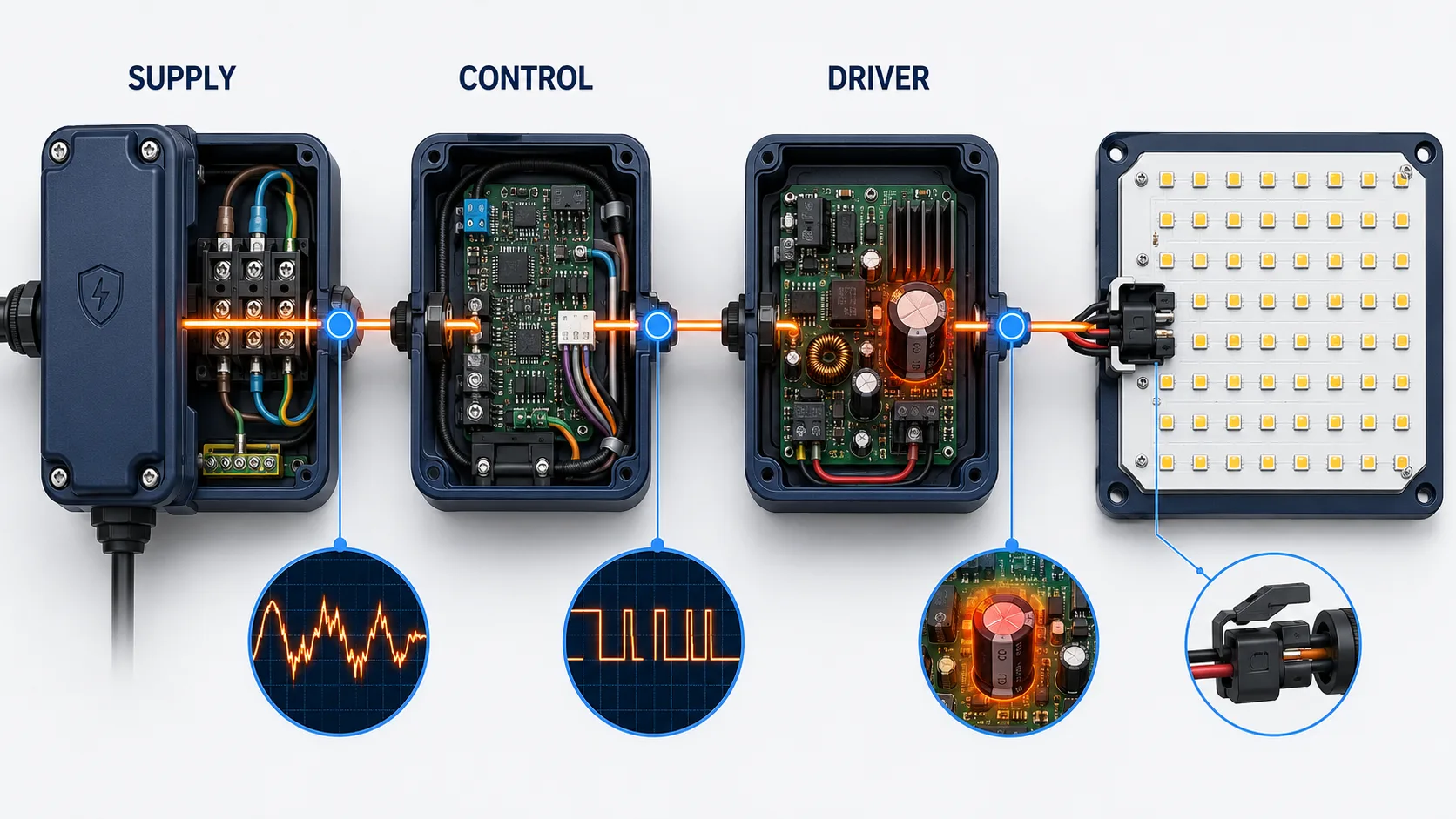
Step 6: Escalate driver, fixture, wiring, or connection faults
Once a matched lamp and compatible control have been ruled out, the likely fault has moved beyond a safe bulb check. Driver capacitors, thermal protection, damaged connectors, loose terminals, moisture, and supply problems can all create intermittent light. A qualified person should test the system under its real operating load.
As reviewed in 2026, the Department of Energy’s Flicker Research notes that driver behavior changes with loading, dimming level, and the waveform supplied by the dimmer. One no-load voltage reading cannot represent every operating condition. The technician should compare results with the exact driver and luminaire specifications.
Do not bypass a fuse, thermal cutout, battery-management system, surge protector, or controller to “see if it works.” Never replace a constant-current LED driver by matching wattage alone. Output current, voltage range, control method, insulation, temperature, surge rating, and connector arrangement must also match.
Step 7: Verify the repair under the original conditions
A repair is complete only when the light stays stable under the condition that caused the problem. Test the full dimming range, the original appliance trigger, the expected night schedule, or the outdoor operating period. Do not declare success after a few seconds at full brightness.
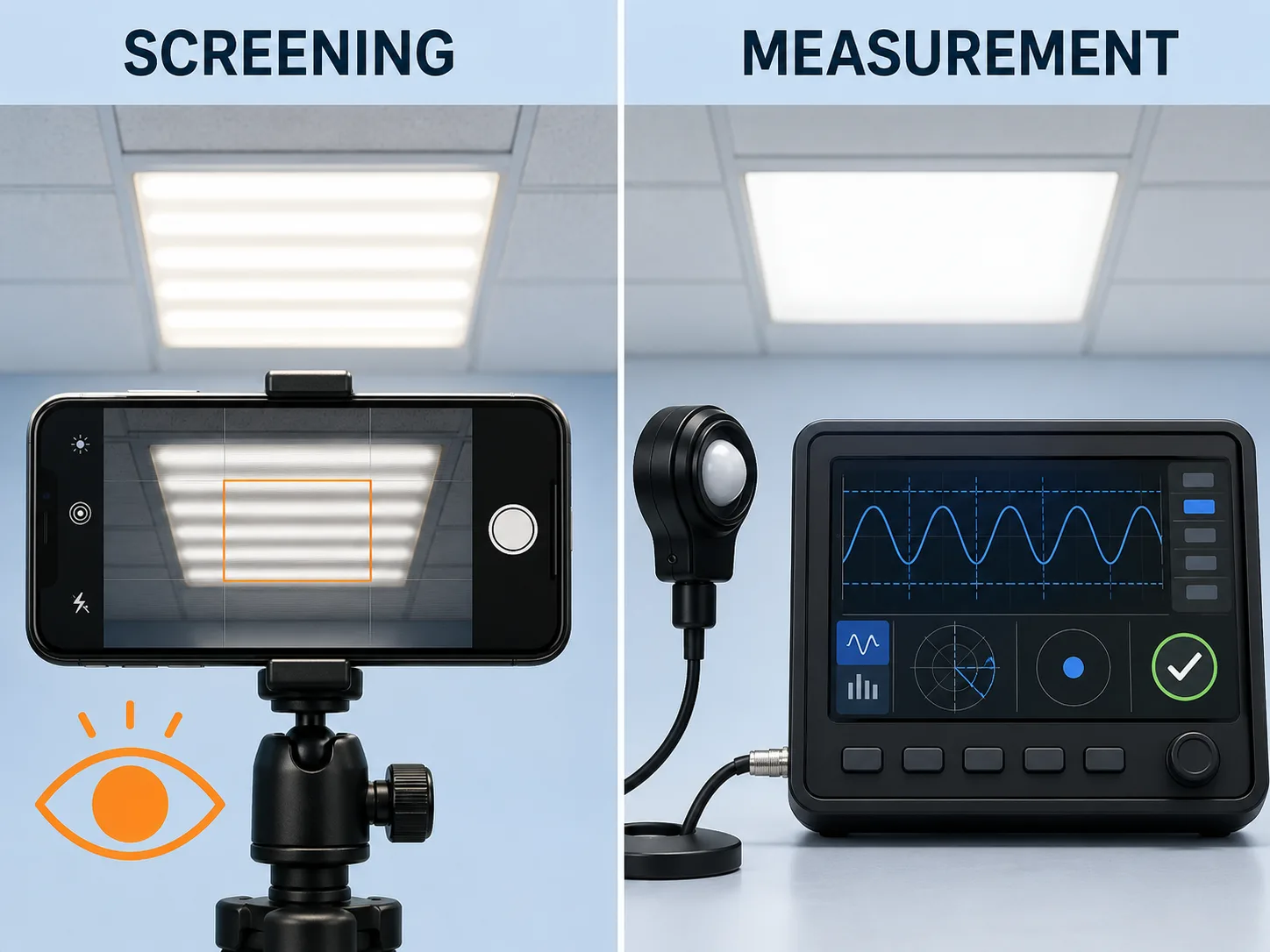
In August 2025, the University of Manitoba’s LED Light and Flickering factsheet described a smartphone camera as a simple way to reveal bands caused by flicker. The same source warns that this method does not measure severity. Camera shutter settings, frame rate, and rolling shutter can create or hide bands.
For professional acceptance, specify a recognized measurement method and test the final lamp, driver, and control combination. The DOE lists IES LM-90-20 for luminous-flux waveforms and points to IEEE 1789-2015 and CIE 249:2022 among relevant flicker references. A phone test is a screening clue, not a compliance certificate.
Verification: Record the replaced part, settings, measurements, test condition, and result. That small service note prevents the next technician from repeating the same diagnosis.
Why do solar and outdoor LED lights flicker?
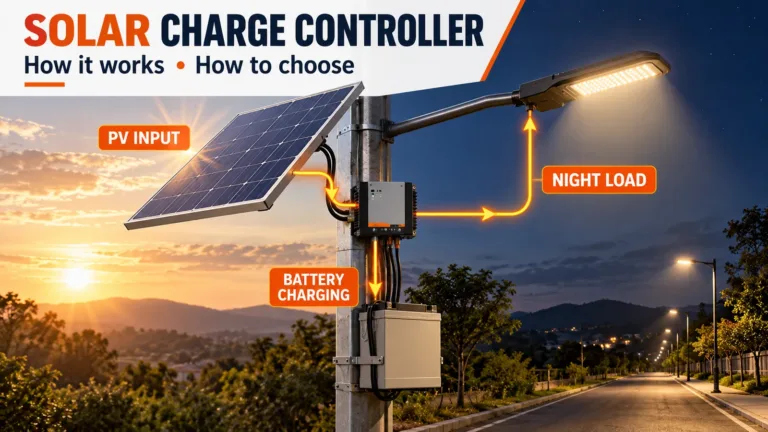
Solar and outdoor lights add energy storage, weather exposure, sensors, and programmed controls to the LED driver problem. A flickering solar street light may have a healthy LED module but an unstable battery connection, low state of charge, controller limit, water-damaged connector, thermal event, or incorrect dimming schedule.
Start with the project pattern. One pole suggests a local component or connection. Several poles changing at the same time suggest shared weather, configuration, product batch, commissioning, or site conditions. For a full energy-path procedure, use the separate solar light troubleshooting guide. It covers the panel, battery, controller, driver, and LED module in sequence.
| Site symptom | Check before replacing the lamp | Evidence to record |
|---|---|---|
| Flicker begins late at night | Battery state, night schedule, low-voltage protection, and recent charging | Controller log, battery test under load, weather, and runtime |
| Flicker begins after rain | Seals, cable glands, connectors, corrosion, and enclosure moisture | Photos before opening, insulation test, and affected pole numbers |
| Flicker appears only at reduced output | Dimming method, driver compatibility, PWM setting, and minimum output | Driver model, control profile, dimming level, and waveform test |
| Multiple poles flicker together | Shared settings, firmware, battery batch, weather, grid backup, or commissioning change | Time-synced video, pole map, error codes, and change history |
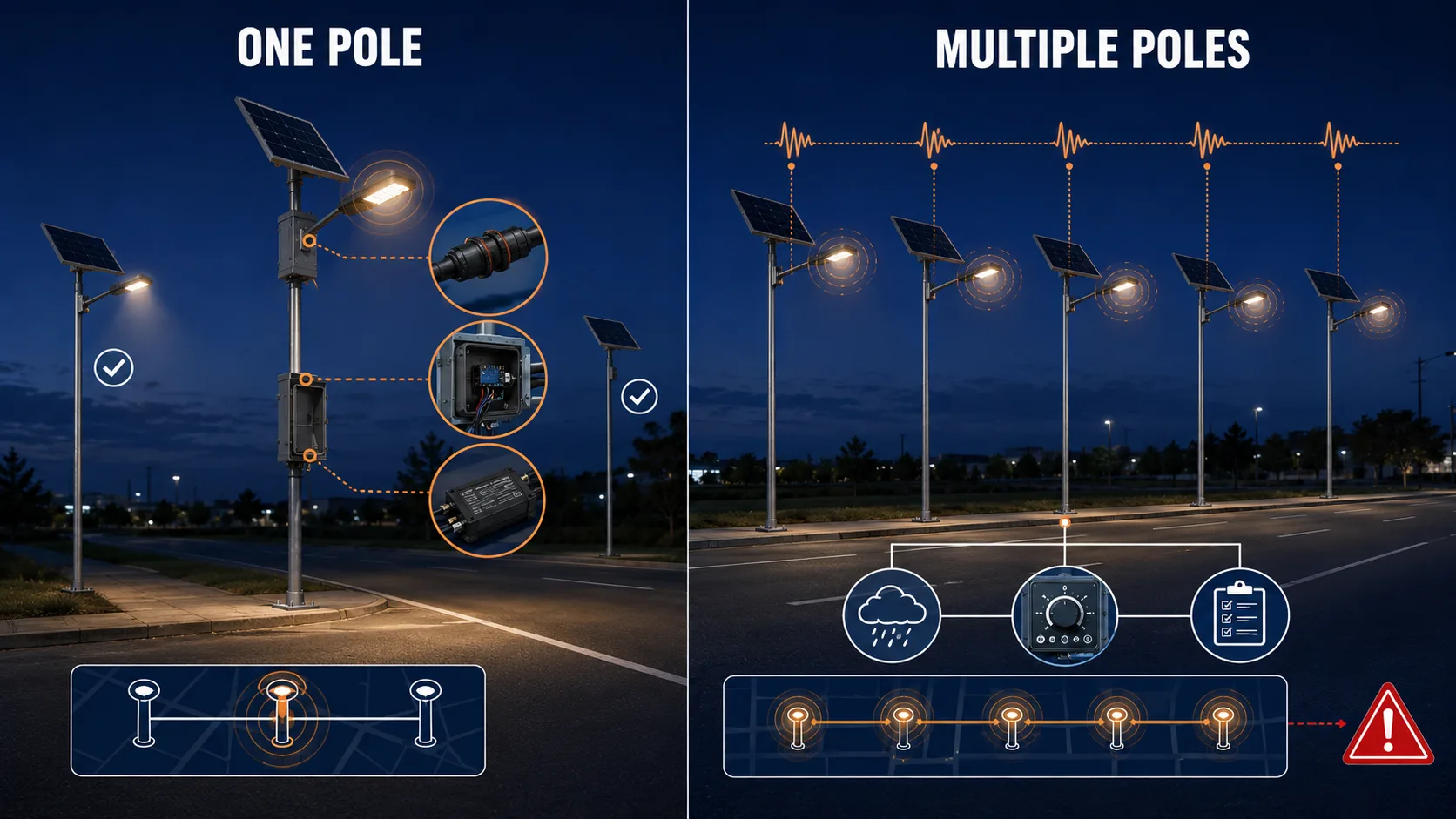
For new projects, ask for component-level documentation rather than a generic “flicker-free” promise. Review the LED module, constant-current driver, controller, battery system, surge protection, thermal design, seals, and control profile. The solar street light component guide shows the parts that should be matched and documented.
How can you prevent flickering lights from returning?
Prevent repeat flicker by treating the lamp, driver, control, and supply as one system. Keep exact model numbers, approved compatibility lists, commissioning settings, and service records. In outdoor projects, add enclosure inspection, connector checks, controller logs, and battery tests under load.
- Match the system: Approve the exact lamp, driver, dimmer, sensor, and controller combination.
- Test the full range: Check startup, full output, minimum dimming, automatic schedules, and expected loads.
- Control heat and water: Keep vents clear and maintain seals, glands, connectors, and drainage paths.
- Record changes: Save control settings before resets, firmware updates, or part replacement.
- Specify evidence: For commercial lighting, request flicker test data for the final configuration, not a different lamp or driver.
- Plan service access: Choose products with identifiable, matched replaceable parts and clear warranty support.
Project buyers can compare grid-powered roadway luminaires on the LED street light range and off-grid configurations on the commercial solar street light overview. The goal is not the highest wattage. It is stable light output from a documented system under the site’s real conditions.
الأسئلة المتداولة
Can flickering lights cause a fire?
A flickering lamp is not proof of a fire hazard. However, flicker with heat, buzzing, discoloration, a burning smell, repeated breaker trips, or several affected lights can indicate an electrical fault. In 2022, NFPA reported that wiring and related equipment accounted for 68% of home fires involving electrical distribution and lighting equipment in its 2015 to 2019 dataset.
Why do LED lights flicker but incandescent bulbs do not?
LEDs respond rapidly to changes in driver current, while a hot incandescent filament has thermal persistence that smooths short power changes. As reviewed in 2026, the DOE’s Flicker Basics explains that driver design and dimmer compatibility largely determine whether an LED’s light output remains steady.
Why do my lights flicker when an appliance turns on?
A large motor or heating load can coincide with a brief voltage change, but repeated or widespread flicker may indicate a circuit, connection, service, or utility problem. In NFPA’s 2022 report, electrical failure or malfunction contributed to 80% of the electrical-distribution and lighting-equipment fires in the studied dataset. Have a qualified electrician assess persistent symptoms.
Can I use my phone camera to test LED flicker?
Yes, as a screening check. In August 2025, the University of Manitoba’s LED Light and Flickering factsheet said a phone camera can reveal bands but cannot quantify flicker severity. Camera settings may also create false positives or hide a problem. Use proper test equipment for specifications or acceptance.
Why does a solar street light flicker at night?
A solar street light may flicker because of a weak battery under load, unstable connector, controller limit, driver fault, water ingress, heat, or an incorrect dimming schedule. Use the five-part path shown in the site’s solar troubleshooting guide: panel, controller, battery, driver, and LED load. Compare nearby poles before replacing parts.
Fix the cause, not just the flashing lamp
This is how to fix flickering lights without swapping parts at random: define the affected area, make the light safe, reseat the lamp, test one matched replacement, and check control compatibility. Then look for shared load or timing patterns. If the symptom extends beyond one bulb, move the diagnosis to a qualified electrician, utility, manufacturer, or solar-lighting technician.
For a commercial road, parking, industrial, or solar lighting project, send the model, pole count, affected units, driver and controller details, dimming schedule, battery data, fault codes, weather, and a time-stamped video. Request a lighting-system review to turn those observations into a matched repair, retrofit, or RFQ specification.
Sources
- US Department of Energy, Flicker Basics, retrieved 2026-08-27, https://www.energy.gov/cmei/ssl/flicker-basics
- US Department of Energy, Flicker Research, retrieved 2026-08-27, https://www.energy.gov/cmei/ssl/flicker-research
- US Department of Energy, Metrics and Test Methods, retrieved 2026-08-27, https://www.energy.gov/cmei/ssl/metrics-and-test-methods
- National Fire Protection Association, Home Fires Caused by Electrical Distribution and Lighting Equipment, February 2022, retrieved 2026-08-27, https://content.nfpa.org/-/media/Project/Storefront/Catalog/Files/Research/NFPA-Research/Electrical/osElectricalDistLighting.pdf
- Electrical Safety Foundation International, Electrical Safety Dos, retrieved 2026-08-27, https://www.esfi.org/electrical-safety-dos/
- US Consumer Product Safety Commission, Repairing Aluminum Wiring, Publication 516, June 2011, retrieved 2026-08-27, https://www.cpsc.gov/s3fs-public/516.pdf
- Lutron, Maestro PRO Troubleshooting Guide, retrieved 2026-08-27, https://support.lutron.com/us/en/product/maestro/article/troubleshooting/MA-PRO-FAQ-Troubleshooting-Guide
- University of Manitoba, LED Light and Flickering, August 2025, retrieved 2026-08-27, https://umanitoba.ca/agricultural-food-sciences/sites/agricultural-food-sciences/files/2025-08/led-light-and-flickering.pdf